
A quote request for scheduling software often turns into several rounds of back and forth: the vendor asks questions, the workshop looks for the answers, and the offers received cannot be compared with each other. A few pieces of information gathered before the first conversation are enough to get an offer that matches your production and to compare suppliers on the same basis.
Key takeaways
- A scheduling software quote depends above all on the scope: number of workshops and resources, users, modules, integrations and hosting.
- Seven headings are enough to describe this scope: workshop, users, modules, information system, machines, hosting and timeline.
- Ask each vendor what is included in the offer: onboarding, training, support and updates. This is where quotes differ the most.
Why prepare your quote request?
Without a precise description of the workshop, each vendor makes its own assumptions. One quotes for ten users, another for three; one includes the ERP connection, another postpones it. The offers then look very different even though they do not cover the same need.
A prepared request changes three things:
- comparable offers, built on the same scope;
- a useful demo, based on a case close to yours rather than a generic example;
- a faster start, because the information gathered is then used for the configuration.
1. Describe your workshop
This is the foundation of any planning and scheduling software: the resources on which the work will be placed.
- The workshops: how many, and in what order production orders go through them (machining, treatment, assembly, inspection, shipping, and so on).
- The resources in each workshop: machines, manual workstations and operators, identifying those that are interchangeable (for example three milling machines of the same type).
- Working hours: shifts, night or weekend work, annual closures.
- Volume: number of production orders released per week or per month, and the average number of operations per order.
- Type of production: one-off parts, small batches, large series, or a mix.
- Routings: do they already exist, with times per operation, or do they need to be built?
2. Specify who will use the software
The number and profile of users weigh on the quote and on training. List them by role:
- planners, who place production orders over the coming weeks;
- shop floor managers, who schedule day by day or hour by hour;
- operators, if they need to declare progress on the shop floor, and on which equipment (tablet, shop floor PC, shared screen);
- management, sales or customer service, who check lead times and progress without changing the schedule.
3. List the modules you need
Scheduling software is often sold by module. Separate what is essential at the start from what can come later:
- planning of production orders at finite capacity over the coming weeks;
- detailed scheduling by machine and by operator, as a Gantt chart or Kanban;
- load and capacity by workshop and by resource (see our article on calculating production load and capacity);
- shop floor execution tracking: operator tasks, declarations, traceability;
- machine supervision and OEE calculation;
- analyses: delays, throughput times, scrap, actual times compared with planned times;
- stock and costs: stock projection based on production orders, planned and actual cost of production orders.
Starting with planning and scheduling, then adding shop floor tracking and machines, limits the initial investment and gives teams time to take ownership of the tool.
4. Describe your information system
Integration is the main source of difference between two quotes. Specify:
- whether you have an ERP, which one, and what data it holds: production orders, items, routings, bills of materials;
- whether this data can be exported as CSV or Excel files, which often makes it possible to start without development;
- whether actual progress needs to be sent back to the ERP;
- the other software involved: CMMS, document management, SPC, BI tools;
- whether your IT team expects an API for automatic exchanges.
No ERP? Say so too: some software lets you create items, routings and production orders directly, without an upstream system.
5. Indicate the machines to connect
Connecting machines is rarely needed at the start, but it should be planned for. If you are considering it, indicate:
- the number of machines and their brands or CNC controls;
- the available connection methods: OPC UA, API, IIoT box;
- the data you want: states, part counter, cycle time, alarms.
To go further, our page on machine supervision details what this data lets you track.
6. Choose the hosting mode
Two options come up most often, with different consequences for the offer:
- software hosted by the vendor (cloud): nothing to install on your premises; ask in which country the data is stored;
- installation on your own servers: your IT team manages the infrastructure; specify your constraints.
7. Set the timeline and the starting scope
- the desired start date, and any calendar constraints (stocktaking, closure, peak activity);
- the pilot workshop or line to start with;
- the people available for configuration and training.
The list to copy into your request
| Heading | Information to prepare | Example |
|---|---|---|
| Workshop | Workshops, resources, working hours, production order volume, type of production, routings | 3 workshops, 25 machines, 15 operators, 2 shifts, 120 production orders per month |
| Users | Number per role, shop floor equipment | 2 planners, 3 shop floor managers, operators on tablets |
| Modules | Essential at the start, then later | Planning and scheduling first, shop floor tracking next |
| Information system | ERP, file export, progress feedback, other software | ERP with Excel export of production orders, no CMMS |
| Machines | Number, possible connection, data wanted | 8 OPC UA machines, states and counters |
| Hosting | Cloud or on your servers, IT constraints | Cloud, data hosted in Switzerland |
| Timeline | Start date, pilot workshop, project team | Start in March in the machining workshop |
The examples are fictitious: replace them with the figures from your workshop.
The questions to ask each vendor
To compare offers, ask all suppliers the same questions:
- What is included in the onboarding: configuration, data import, ERP connection?
- How long does it take to get started on a first workshop?
- How is training organized, and for which profiles?
- What support is provided after go-live, and how do you reach it?
- Are software updates included?
- Can you start with a single module, then add more?
- Does the software work without an ERP, or with simple files?
- Where is the data hosted, and can you get it back?
How a quote request works at Seganto
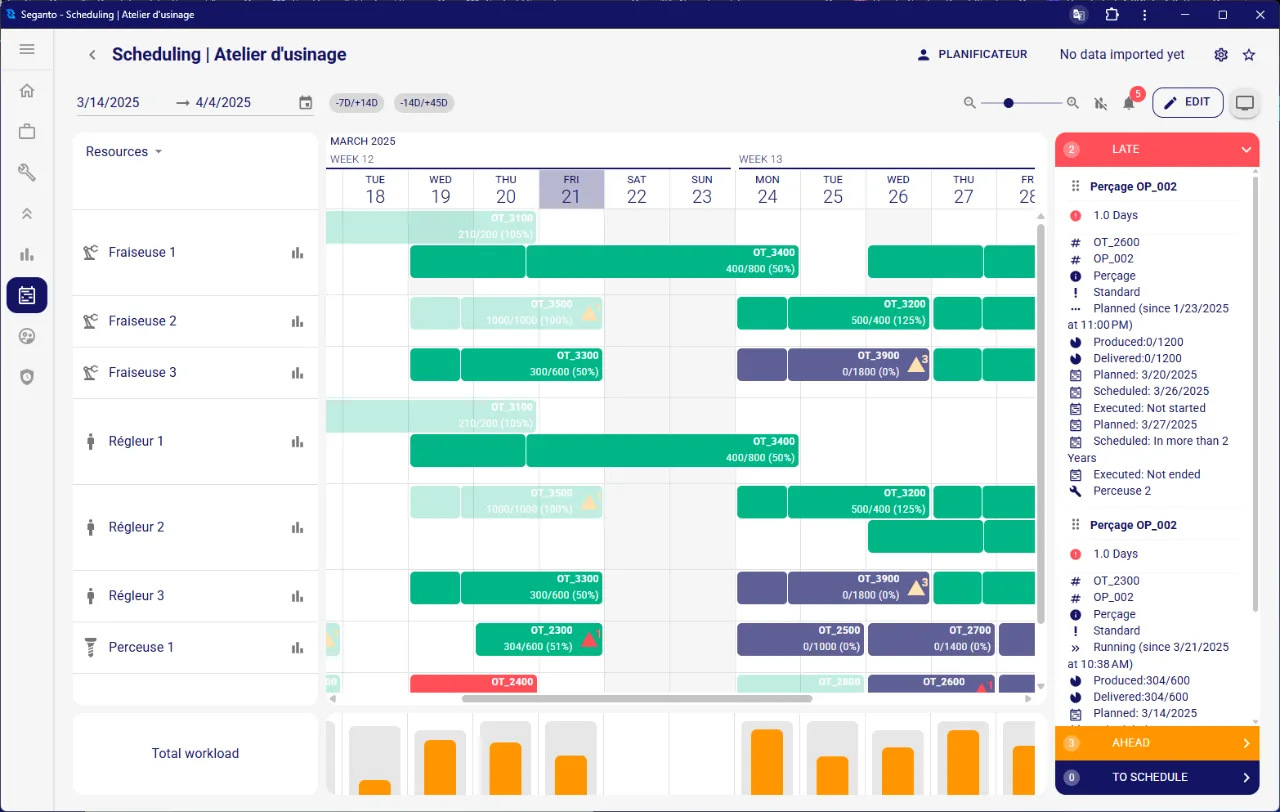
At Seganto, the quote starts with a demo. Our team discusses your workshop and the relevant modules with you, shows you the software on a case close to yours, then sends you a tailored offer. The list above is enough to prepare this conversation.
- up and running in 15 days, starting with one workshop or line;
- with or without an ERP, from CSV or Excel files or an API connection;
- hosted in Switzerland or on your own servers.
Our Deploy Seganto page details the onboarding method, and the scheduling software page presents the planning features.
Frequently asked questions about a scheduling software quote
What does the price of scheduling software depend on?
On the scope: number of workshops, resources and users, the modules chosen, integration with the ERP and the machines, the hosting mode and onboarding support. Two quotes can only be compared if they cover the same scope.
Do you need an ERP to request a quote?
No. Simply indicate where your production orders come from today: spreadsheet, exported files or manual entry. Some software, such as Seganto, works without an ERP.
Which information should you send first?
If you do not have time to gather everything, start with three elements: the number of resources to schedule, the volume of production orders per month and your current system (ERP, spreadsheet or paper).
Can you start with a single workshop?
Yes, and it is often preferable: a pilot workshop lets you validate the configuration and team buy-in before extending the software to the rest of the company.
Get an offer tailored to your workshop
Book a demo: we will show you Seganto on a case close to yours, then send you an offer built on your scope.
Book a demoDiscover the scheduling software